
Accessing the academic professional messaging system in Amiens requires going through two distinct entry points, one of which is often overlooked. The direct webmail and the intranet portal do not operate in the same way, do not accept the same identifier formats, and do not respond to the same browser configuration errors.
This article compares these two access paths, details the technical parameters that cause issues, and identifies the most common blocking points for the staff of the Amiens academy in 2026.
Direct webmail or academic intranet: two access paths compared
The staff of the Amiens academy have two methods to access their professional messaging. The first goes through the URL webmail.ac-amiens.fr, which directly opens the mail interface. The second uses the intranet portal via portail.ac-amiens.fr, where the messaging appears after navigating through the professional space.
| Criterion | Direct webmail | Intranet portal |
|---|---|---|
| Access URL | webmail.ac-amiens.fr | portail.ac-amiens.fr then Professional Space |
| Expected identifier | Short identifier (pname) | Short identifier (pname) |
| Access to other services (Arena, I-Prof, Gaïa) | No, messaging only | Yes, navigation to all services |
| Browser blocking sensitivity | Medium | High (JavaScript and cookies required for the portal) |
| Main utility | Quick mail consultation | Centralized entry point for all procedures |
Access via the intranet portal is described in recent guides as the recommended entry point for staff already using Arena or I-Prof, as a single authentication opens all services. To consult all resources related to the messaging and webmail of AC Amiens, the portal remains the most logical starting point.
On the other hand, the direct webmail is better suited for quick consultation from a personal device, without needing to navigate through the portal’s structure.

Connection blocks to Amiens webmail: underestimated technical causes
Among the reported blocking reasons in 2026, browser-related issues rank higher than password errors. Two situations frequently arise.
JavaScript disabled or filtered
The intranet portal relies on client-side scripts to manage authentication. When JavaScript is disabled (by a browser setting or a script-blocking extension), the login page does not load the identification form. The user sees a blank page or a generic error.
The direct webmail is less sensitive to this issue, but some functions (filters, folder search) may not respond without active JavaScript.
Cookies blocked by privacy extensions
Anti-tracking extensions sometimes block academic session cookies, causing an immediate disconnection after entering credentials. The classic symptom: the page redirects in a loop to the login form without an explicit error message.
Before contacting support, checking these two points in the browser settings often resolves the issue without external intervention.
Short identifier and NUMEN: do not confuse the two
The confusion between NUMEN and the login identifier generates a significant portion of support requests. These two elements do not serve the same purpose.
- The NUMEN is a 13-character identifier assigned to each staff member of the national education system. It is only used to activate the academic account during the first login on portail.ac-amiens.fr.
- The short identifier (pname format, i.e., the first letter of the first name followed by the last name) is what allows daily login to webmail and online services.
- The password is common to both contexts but must be created during the initial activation with the NUMEN. It is recommended to choose a password of at least eight characters mixing letters, numbers, and special characters.
Entering the NUMEN in the webmail identifier field does not work. The interface exclusively expects the short format. This error is even more frequent as the NUMEN appears on HR documents received upon starting the position, while the short identifier is communicated separately.
IMAP configuration on mobile: settings for the Amiens academy
Accessing academic messaging from a smartphone requires configuring a mail client with the correct server settings. The IMAP protocol is recommended over POP3 to synchronize messages across multiple devices without deleting them from the server.
- Incoming server (IMAP): imap.ac-amiens.fr, port 993, SSL/TLS encryption
- Outgoing server (SMTP): smtp.ac-amiens.fr, port 465, SSL/TLS encryption
- Identifier: the pname format (short identifier), not the full email address
- SMTP authentication: same as IMAP (same identifier, same password)
On both iOS and Android, the most common error is entering the full email address ([email protected]) in the identifier field instead of the short format. The server systematically rejects the full address as an identifier.
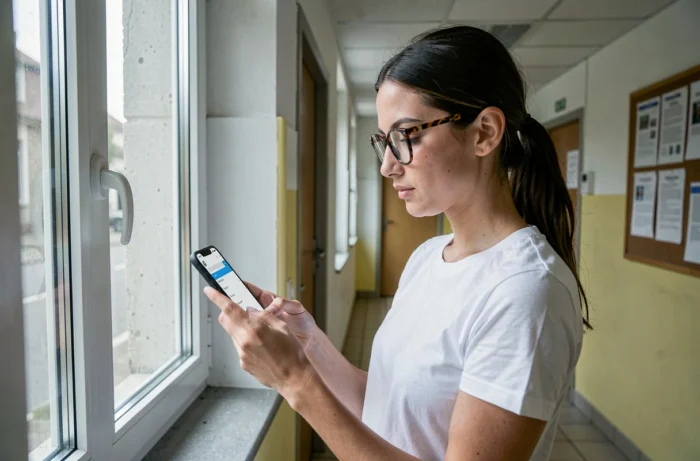
Concrete difference between IMAP and POP3 for academic use
With POP3, messages downloaded to the phone disappear from the server (unless specifically configured otherwise). An email read on the smartphone no longer appears in the webmail. With IMAP, any action (reading, deleting, sorting) reflects across all connected devices.
For staff accessing their messaging from a computer at the institution and a personal phone, IMAP avoids duplicates and missing messages.
Academic technical support: number and hours in 2026
The Amiens academy maintains a dedicated support line for connection and messaging issues: 03 22 82 37 40, available Monday to Friday from 9:00 AM to 12:30 PM and then from 1:30 PM to 4:30 PM. This service handles password resets, accounts blocked after several unsuccessful attempts, and activation issues related to the NUMEN.
Staff experiencing a persistent block after checking their browser and identifier save time by calling with their NUMEN and short identifier at hand. The support service can then verify the account status and unblock access in a few minutes, whereas email exchanges often take several business days.